ShowBuild for DaVinci Resolve
From the timeline
to the shot list.
Creating a VFX shot list can take weeks of manual work, especially when you need to track which graphics belong in each shot.
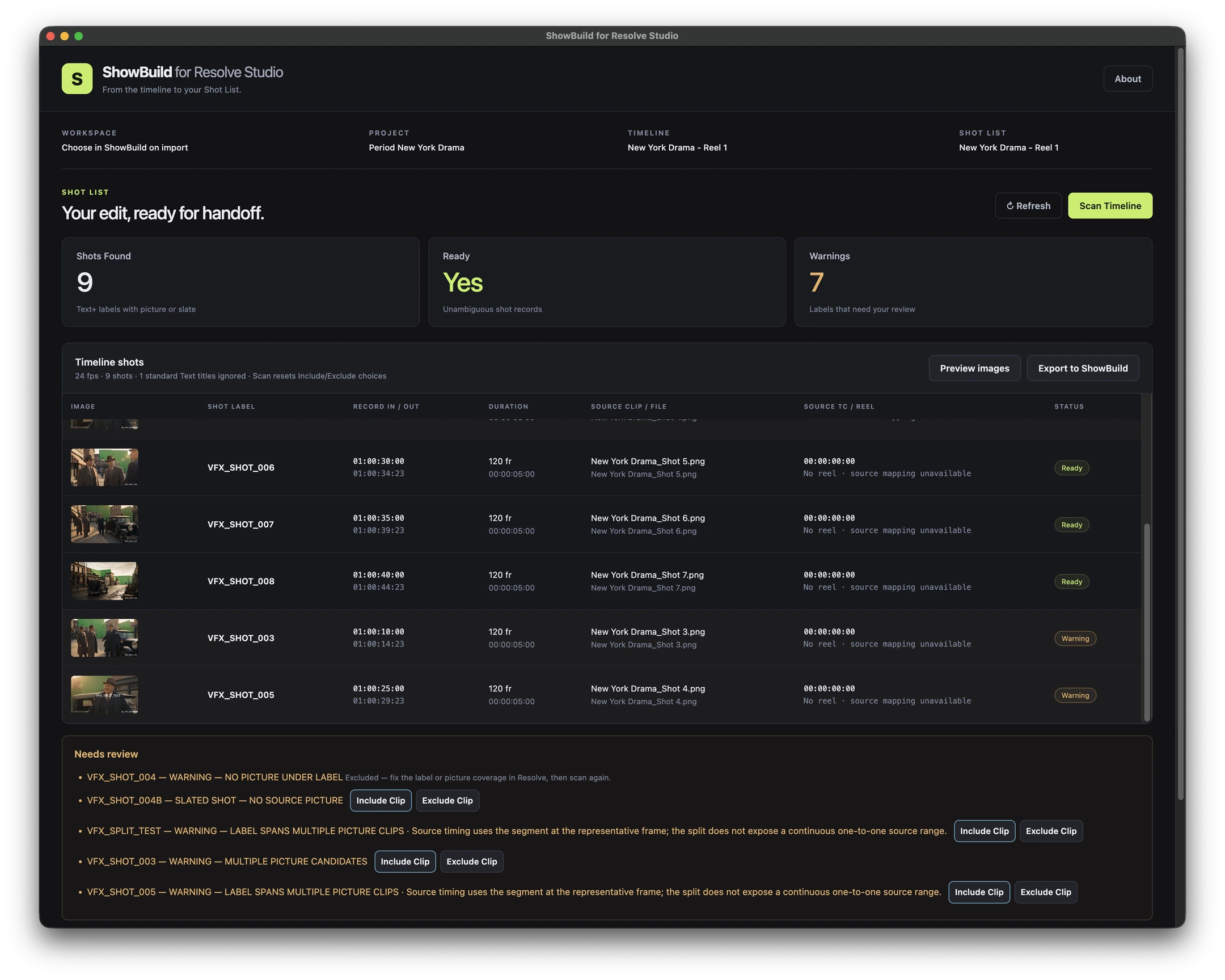
With the free ShowBuild integration, export shot information from a properly labeled reel in a few clicks. In ShowBuild, connect the shots to your graphics lists so the team can see which elements belong where.
Editorial workflow
From edit suite to VFX team.
Prepare the reel
Label each shot with a Text+ title in Resolve. Scan the timeline, review any warnings, then export the shot names, timing, and reference frames together.
Connect the graphics
Import the shot list into ShowBuild for Mac. Link shots to the elements in your production’s graphics lists so you can check what each shot needs.
Share with the team
Editors, producers, and VFX artists can consult the shot list and its linked graphics in their shared ShowBuild workspace.
Free integration
Get started on Mac.
In ShowBuild for Mac, open Account → Integrations → DaVinci Resolve to find the installer for your edition of Resolve.